Durga Puja Dhunuchi Aarti AI Photo Editing Prompts
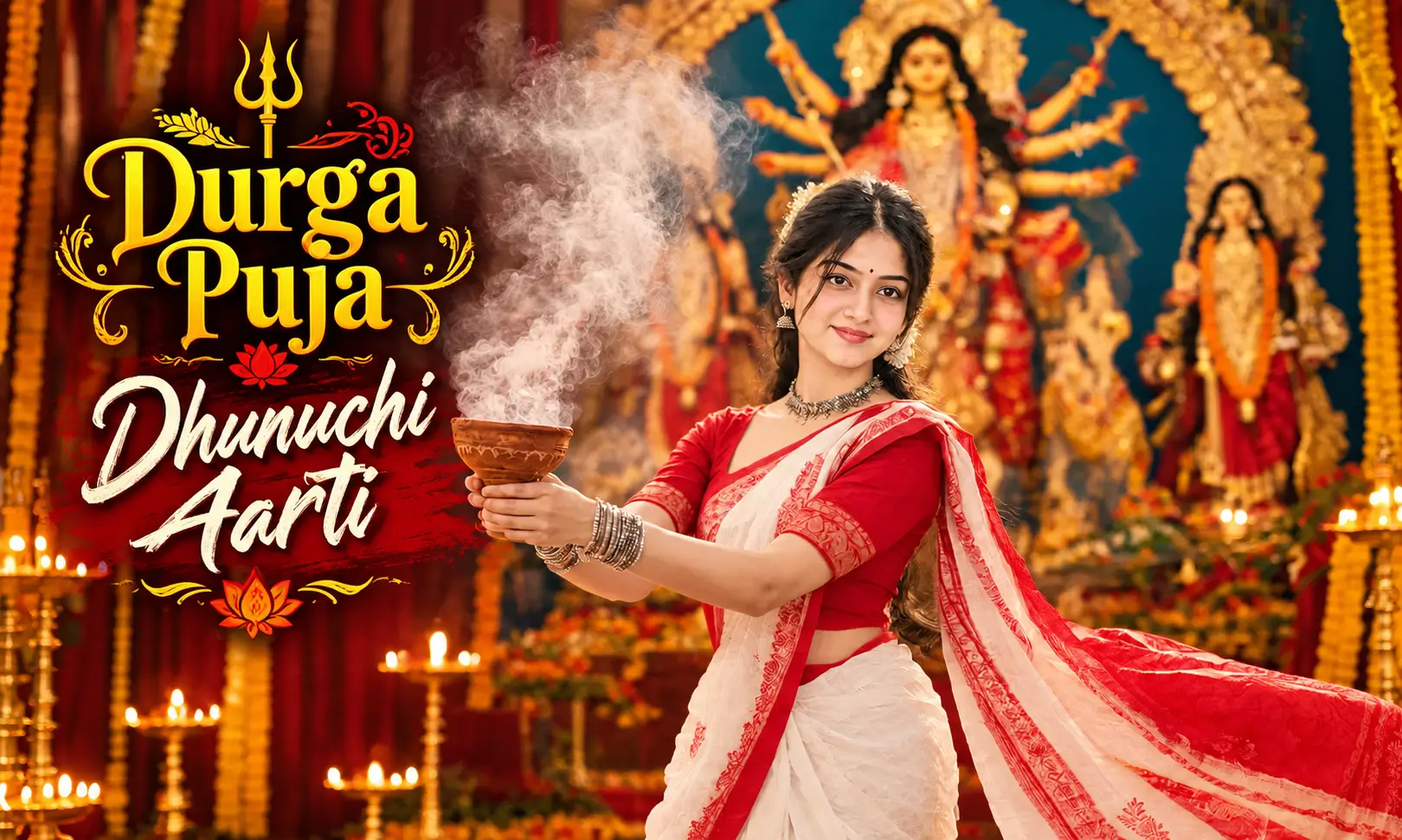
Durga Puja is one of the most beautiful and meaningful festivals celebrated in West Bengal and other parts of India. The festival brings people together through devotion, traditional music, colorful decorations, and beautiful rituals. One of the most iconic moments is the Dhunuchi Aarti, where devotees dance with traditional dhunuchi incense burners in front of Maa Durga.
In this article, you will find detailed AI photo editing prompts, creative portrait ideas, and simple steps to create a realistic Durga Puja image using your favorite AI image generator.
What Is a Durga Puja Dhunuchi Aarti Portrait?
A Durga Puja Dhunuchi Aarti portrait is an artistic image inspired by the traditional Bengali ritual of offering incense to Maa Durga. It usually features a woman wearing a traditional saree while holding a dhunuchi, with smoke rising around her and the Durga idol visible in the background.
These portraits often include warm golden lights, red and white Bengali sarees, traditional jewelry, flower decorations, and a beautifully crafted Durga Puja pandal. The combination creates a devotional and cinematic look while preserving the cultural beauty of the festival. Try Triple Exposure Cinematic Portrait AI Prompt.
AI image generators can help you create this style using a reference photo and a detailed text prompt.
Why Is This Durga Puja AI Portrait Trending?
Traditional festival photography is popular because it captures meaningful cultural moments in a visually attractive way. AI editing makes it easier to recreate the atmosphere of a Durga Puja celebration without arranging a professional photoshoot.
Here are some reasons to try this portrait style:
Best AI Prompts for Bengali Durga Puja Dhunuchi Aarti Portraits
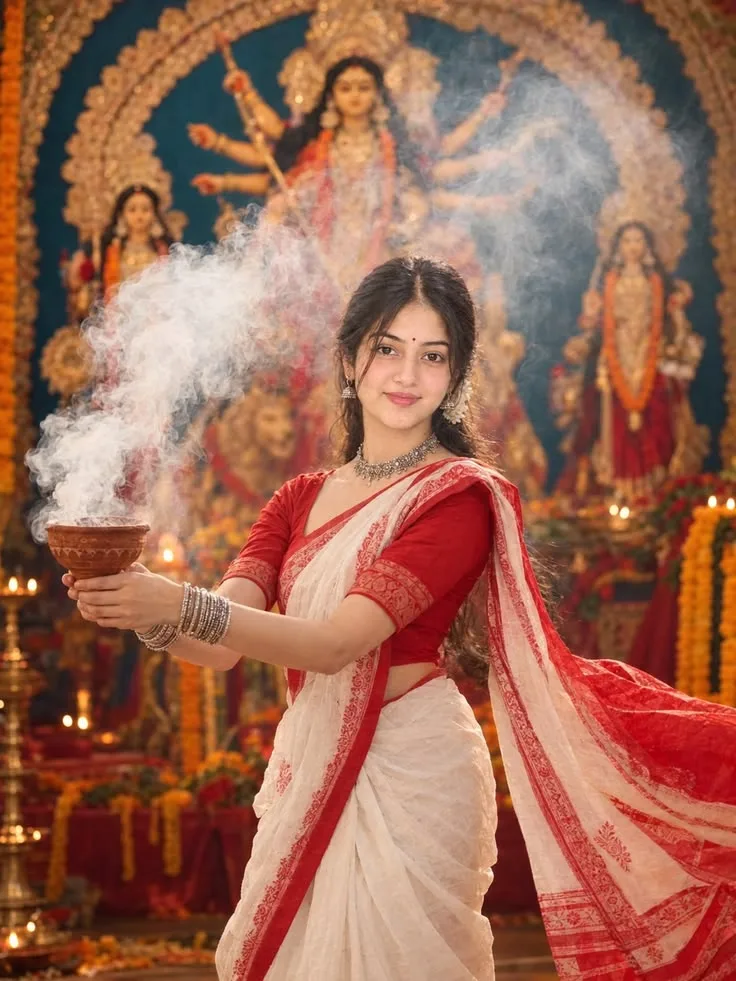
Prompt
How to Create a Durga Puja Dhunuchi Aarti Portrait With AI
Follow these simple steps to create your own devotional portrait using Google Gemini or another compatible AI image editor.
Tips for Creating a Realistic Bengali Durga Puja Portrait
A detailed prompt can help the AI tool produce a more natural and culturally authentic result. Keep these tips in mind when editing your photograph.
Best Image Settings for Social Media
Choose your image dimensions according to where you plan to share the portrait.
| Platform or use | Recommended size |
|---|---|
| Instagram portrait post | 1080 × 1350 px |
| Instagram Story or Reel cover | 1080 × 1920 px |
| Facebook post | 1200 × 1500 px |
| Website featured image | 1200 × 720 px |
| Pinterest portrait pin | 1000 × 1500 px |
These are practical image sizes, not requirements for every platform or placement. Keep the subject’s face and the Maa Durga idol visible when cropping the image.
Conclusion
A Devotional Bengali Durga Puja Dhunuchi Aarti Portrait combines the beauty of Bengali traditions with the creative possibilities of AI photo editing. From a classic red-and-white saree portrait to a cinematic Dhunuchi dance scene, you can experiment with different styles using Google Gemini, ChatGPT, or another compatible AI image editor.
For the best results, start with a clear reference photograph, use a detailed prompt, and focus on realistic facial features, traditional clothing, soft incense smoke, and a beautifully decorated Maa Durga idol. With a few adjustments, you can create a meaningful festive portrait that celebrates the devotion and cultural richness of Durga Puja.
Rahul Sharma is an AI prompt creator and content writer at Faymasin. He shares creative AI photo prompts for boys, girls, couples, and cinematic portraits. His goal is to help readers find ready-to-use prompts and create images with AI tools like ChatGPT and Gemini.